IPTV Smarters Pro Canada: The Player Explained
IPTV Smarters Pro is one of the most widely used player apps in the country, and it is often confused with a television service. This guide explains what IPTV Smarters Pro Canada users actually get from the app, what they need to add, and how it works with a Best IPTV 8K subscription.
An app, not a service
IPTV Smarters Pro is a media player made by an independent software company. On its own it shows an empty login screen. It becomes useful when you enter the details of a subscription, at which point it loads that service's channels, films, series and programme guide and presents them in a tidy interface. The quality of what you watch depends on the service; the comfort of watching depends on the app.
Why the app is popular in Canada
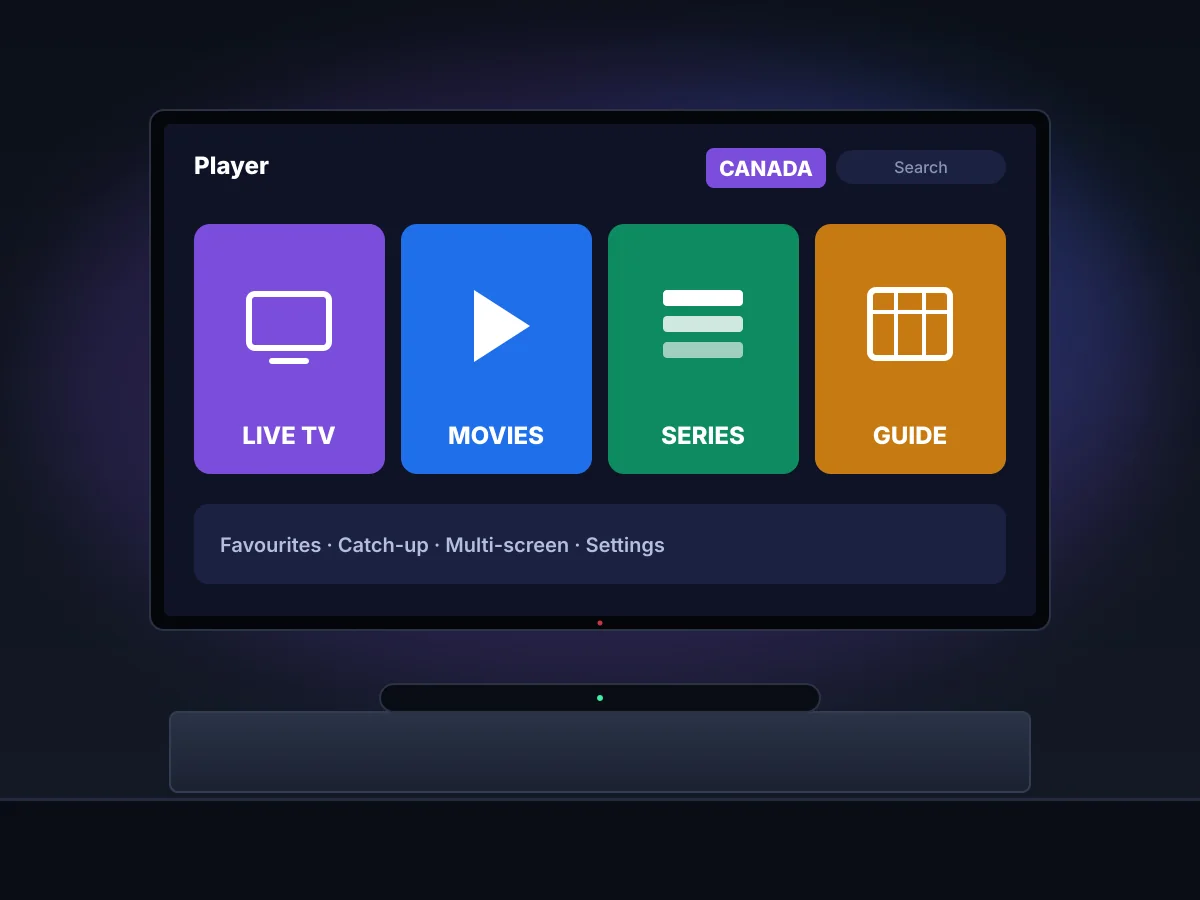
Three reasons come up again and again. It runs on almost everything: Fire TV sticks, Android TV and Google TV sets, phones, tablets, computers and many Samsung and LG televisions. Its layout is simple, with large tiles for live television, films, series and the guide. And it accepts the two standard ways of signing in, Xtream Codes API and M3U playlist, so it works with most services.
What you see after signing in
- Live TV, arranged in the folders your service provides.
- Movies and Series, with artwork and descriptions where the service supplies them.
- A programme guide showing what is on now and next.
- Catch-up on channels where your service supports it.
- Favourites, a search function, parental controls and a multi-screen view.
Names of menus can differ slightly between versions and devices.
IPTV Smarters Pro Canada at a glance
| Point | Detail |
|---|---|
| What it is | A player app from an independent developer |
| What it needs | A subscription's username, password and server address |
| Devices | Fire TV, Android TV, phones, tablets, computers, many Smart TVs |
| Sign-in methods | Xtream Codes API or M3U playlist |
| Cost of the app | A free version exists; the developer also sells a premium one |
Six time zones and the programme guide
Canada stretches from Newfoundland Time to Pacific Time, and a guide that is off by an hour is a common complaint. The app has an EPG time shift setting for exactly this. If programme times appear early or late for your region, adjust the shift until the current programme matches what is on screen. Viewers in British Columbia and Alberta use it more than anyone.
Using it with Best IPTV 8K
After you order a plan, your activation email contains the three details the app asks for. Enter them once on each device. The French and English Canadian folders, the sports folder, the international folders and the on-demand library then appear in the app. The step-by-step version is in IPTV Smarters Pro Canada setup.
Getting the app safely
Look first in your device's own app store. Where it is not listed, the developer publishes downloads on its official website. Avoid modified copies from file-sharing sites, which may carry unwanted software. Device-specific instructions are in IPTV Smarters Firestick, IPTV Smarters Android TV and IPTV Smarters Samsung TV.
Do you have to use this app?
No. Any player that accepts Xtream Codes or M3U details works with the service. IPTV Smarters Pro is simply a familiar choice with a gentle learning curve, which is why so many people start with it. A comparison of what matters in a service is in best IPTV for Smarters Pro.
One household, several devices
A typical home ends up with the app in three or four places: on the stick behind the living-room television, on a bedroom set, on a tablet in the kitchen and on a phone. Each asks for the same three details and keeps its own favourites. That suits families well, because the children's tablet can open on cartoons while the main television opens on news and sport. How many of those devices can play at once is decided by the plan, not by the app.
Three common misunderstandings
- "The app comes with channels." It does not. An unconfigured copy shows only a login screen.
- "Paying for the app's premium version gives me television." It adds features to the player; channels still come from a service.
- "IPTV Smarters Pro Canada is a special Canadian edition." There is one app worldwide. What makes it Canadian is the service you sign in with and the time-zone setting you choose.
Clearing these up saves a good deal of confusion when ordering. The difference between the two purchases is explained in IPTV Smarters subscription.
Plans to use with IPTV Smarters Pro Canada
The app needs a subscription behind it. All four plans work with it in the same way.
IPTV Smarters Pro Canada: common questions
Is IPTV Smarters Pro Canada a television subscription?
No. It is a player app. You need a separate subscription, whose login details you enter in the app.
Is the app made by Best IPTV 8K?
No. It is made by an independent developer. We are not affiliated with it; our service is compatible with it.
Does it cost money?
A free version is available, and the developer offers a paid premium version with extra features.
Why are the programme times wrong?
Adjust the EPG time shift in the app's settings to match your time zone.
More Best IPTV 8K guides
IPTV Smarters guides
Best IPTV 8K by location
Put a subscription behind IPTV Smarters Pro Canada
Choose a plan and sign in with the details from your email.
See plans from $39 CAD