Best IPTV 8K: What It Takes to Stream in True 8K
Plenty of services put 8K in their name. This guide explains what the best IPTV 8K experience actually requires, from the television on your wall to the cable behind it, and how to tell whether you are really watching in 8K.
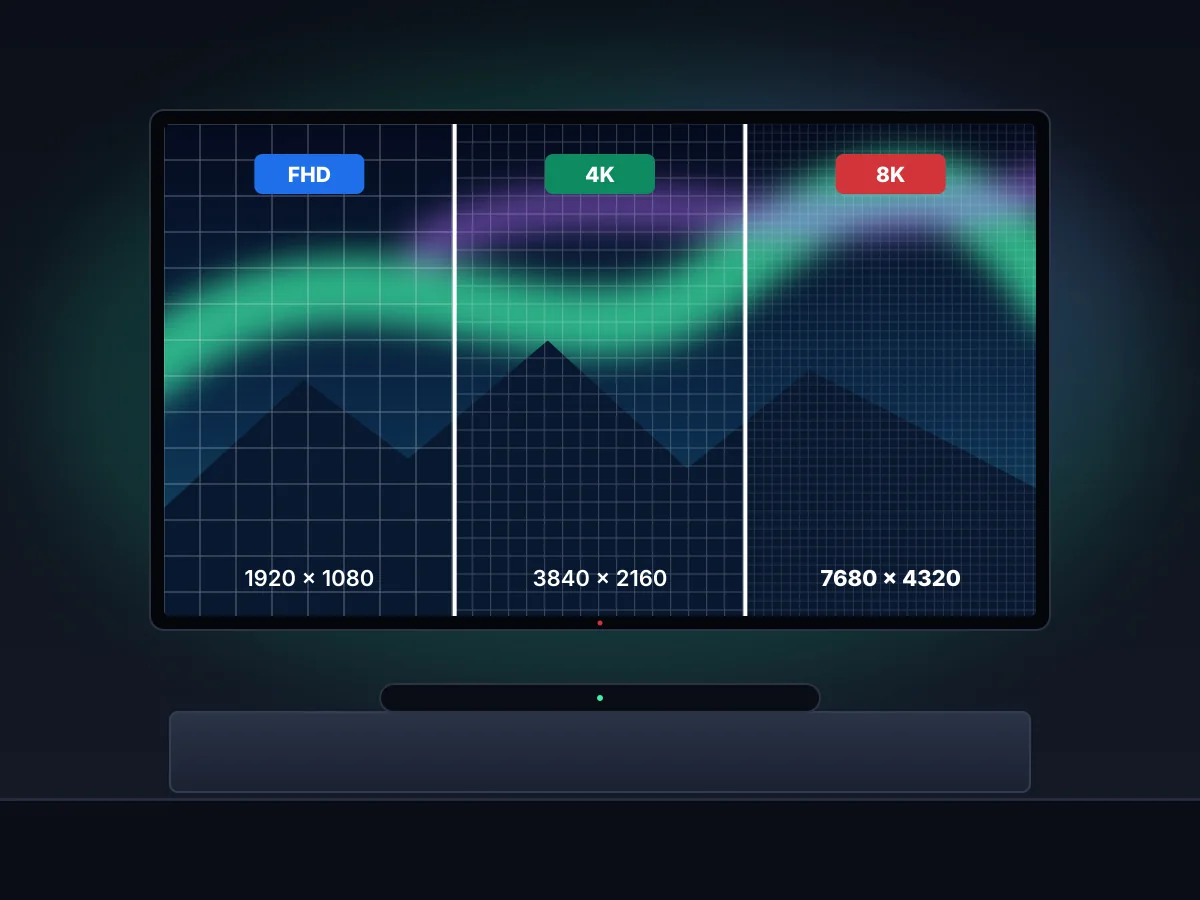
What 8K means
An 8K image measures 7,680 by 4,320 pixels, about 33 million in total. That is four times the detail of 4K and sixteen times that of Full HD. On a large screen the extra pixels remove the last traces of visible structure: fine text is crisp, distant faces are recognisable and wide shots have a depth that lower resolutions flatten.
Screen size and viewing distance decide how much of that you perceive. On a mid-sized set viewed from across the room, 4K and 8K are hard to tell apart. On a very large screen, or when you sit close, the difference is clear.
The four links in the chain
A picture is only as good as the weakest link between the broadcaster and your eyes. For the best IPTV 8K result, check each one.
- The source. A channel or event has to be produced and delivered in 8K. Some are; many are still 4K or HD.
- The television. Only an 8K panel can display 8K. A 4K set will show the 4K version at its best.
- The device and app. The built-in apps of recent 8K televisions and current high-end streaming boxes can decode 8K streams; older sticks cannot.
- The connection. 8K streams are large. A fast fibre or cable plan and a wired link to the television are strongly recommended.
Why a cable matters more than your plan speed
Many homes pay for a fast internet plan and then deliver it to the television over crowded Wi-Fi. The speed on the invoice is not the speed at the screen. A network cable from the router, or from a mesh node beside the television, gives the stream a stable path and is the single most effective upgrade for 8K and 4K viewing.
If cabling is impossible, place the router in the open, use the 5 GHz or 6 GHz band and keep other heavy use off the network during a big event. More tips are in best IPTV no buffering.
When 4K is the better choice
Chasing the highest number is not always wise. A stable 4K stream looks better than an 8K stream that pauses. On a 4K television, on a bedroom set, on any phone or tablet, the 4K or Full HD version is the right one, and it starts faster.
Best IPTV 8K carries its 8K channels in lower resolutions as well, so you never lose a channel by choosing a lighter stream. The guide labels the quality of each entry.
How to tell you are really watching 8K
Most televisions have an information button that shows the resolution of the incoming picture. Press it while a channel labelled 8K is playing. If it reports 7680 x 4320, every link in the chain is working. If it shows 3840 x 2160, the television or the device has selected 4K, usually because the app or the connection could not sustain the larger stream.
Choosing a television for the purpose? See best IPTV for Smart TV.
8K, HDR and frame rate: three different things
Resolution is only one part of picture quality. High dynamic range, or HDR, widens the gap between the darkest and brightest parts of the image and often makes a bigger first impression than extra pixels. Frame rate decides how smooth motion looks, which matters most for sport. A 4K stream with HDR at a high frame rate can look better than an 8K stream without them.
When you compare streams, judge the whole picture rather than the number in the label. The best IPTV 8K setup is one where resolution, contrast and motion all suit what you are watching.
What an 8K stream asks of your home
An 8K stream carries several times the data of a 4K one. Your internet plan has to deliver that continuously, your router has to pass it on without interruption and your television has to decode it in real time. If other people in the house are streaming, gaming or on video calls at the same moment, the headroom disappears quickly.
A sensible approach is to reserve 8K for the main television and for the programmes that reward it, such as major sport, nature and concerts, and to let everything else run in 4K. Households with several screens will find planning advice in IPTV Canada multiple devices.
Is an 8K television worth buying for IPTV?
If you are replacing a television anyway and want a very large screen, an 8K model is a reasonable choice: these sets also upscale 4K and HD pictures, so everything you watch benefits. If your current 4K television is recent and you are happy with it, there is no need to upgrade for streaming alone. Every Best IPTV 8K plan works on a 4K set, and the plans are compared in best IPTV subscription.
Resolutions compared
| Name | Pixels | Total pixels | Best suited to |
|---|---|---|---|
| HD | 1280 × 720 | About 0.9 million | Phones and small screens |
| Full HD | 1920 × 1080 | About 2.1 million | Tablets, laptops, smaller televisions |
| 4K | 3840 × 2160 | About 8.3 million | Most modern televisions |
| 8K | 7680 × 4320 | About 33.2 million | Very large 8K televisions |
What kinds of programme gain most from 8K
Not everything benefits equally. Wide, detailed, well-lit pictures gain the most: stadium sport, nature films, city panoramas, concerts. Studio programmes, news and older films gain little, because the source material carries no more detail to show. That is why the best IPTV 8K habit is selective: use the top quality where it is visible and let ordinary viewing run in 4K.
Upscaling: why lower resolutions still look good on an 8K set
An 8K television does not leave a 4K or HD picture small in the middle of the screen. Its processor fills in the extra pixels, a process called upscaling. A clean 4K stream upscaled by a good television is close to native 8K at normal viewing distances. This is another reason not to force an 8K stream on a connection that struggles with it.
Sound matters too
A sharp picture with thin sound is half an experience. If your television hangs on a wall, its speakers often fire backwards or downwards. A soundbar connected by HDMI makes commentary clearer and crowd noise fuller, and it can be a better use of money than chasing the last step in resolution. Television setup in general is covered in best IPTV for Smart TV, and connection speeds in how to get IPTV in Canada.
Best IPTV 8K plans
8K-ready streams are included on every plan. There is no premium tier for higher resolution.
Best IPTV 8K: common questions
Is every channel in 8K?
No. A channel can only be as sharp as its source. Selected channels and events are offered in 8K, a wider group in 4K, and the rest in Full HD or HD.
Can I use Best IPTV 8K without an 8K television?
Yes. The service works on any supported screen and you simply choose the 4K or Full HD streams. When you upgrade your television, the 8K versions are already in your guide.
Does 8K cost more?
No. The best IPTV 8K streams are part of every plan at the same price.
Do I need a special HDMI cable for 8K?
Only if you use an external streaming box: connect it with an Ultra High Speed HDMI cable to an HDMI 2.1 port. The television's built-in apps need no HDMI cable at all.
Will the best IPTV 8K stream use up my data cap?
High-resolution video uses a lot of data. If your internet plan has a monthly cap, keep 8K and 4K for the programmes that deserve it and use Full HD for everyday viewing.
More Best IPTV 8K guides
See the best IPTV 8K picture on your own screen
Choose a plan and compare 8K, 4K and Full HD for yourself.
See plans from $39 CAD